
QC & LC
Welcome! If you're here, you're likely looking to quality check your replica AirPods or considering purchasing authentic ones. This section will guide you on discerning between retail and replica AirPods, from simple to advanced methods. If a deal seems too good to be true, it probably is. For more on what to expect from replica build quality, see the build quality guide.
TIP
This section was once more detailed, but as replicas have become more sophisticated, it's increasingly difficult to distinguish between genuine and fake AirPods. Our best advice for ensuring authenticity is to purchase your AirPods from a reputable seller.
Checking Design Flaws
- Hinge Color: Compare the color of the hinge on the case to reference pictures. You can use this image for first and second generation AirPods and this image for AirPods Pro, Pro 2, Pro 3, and AirPods 4.
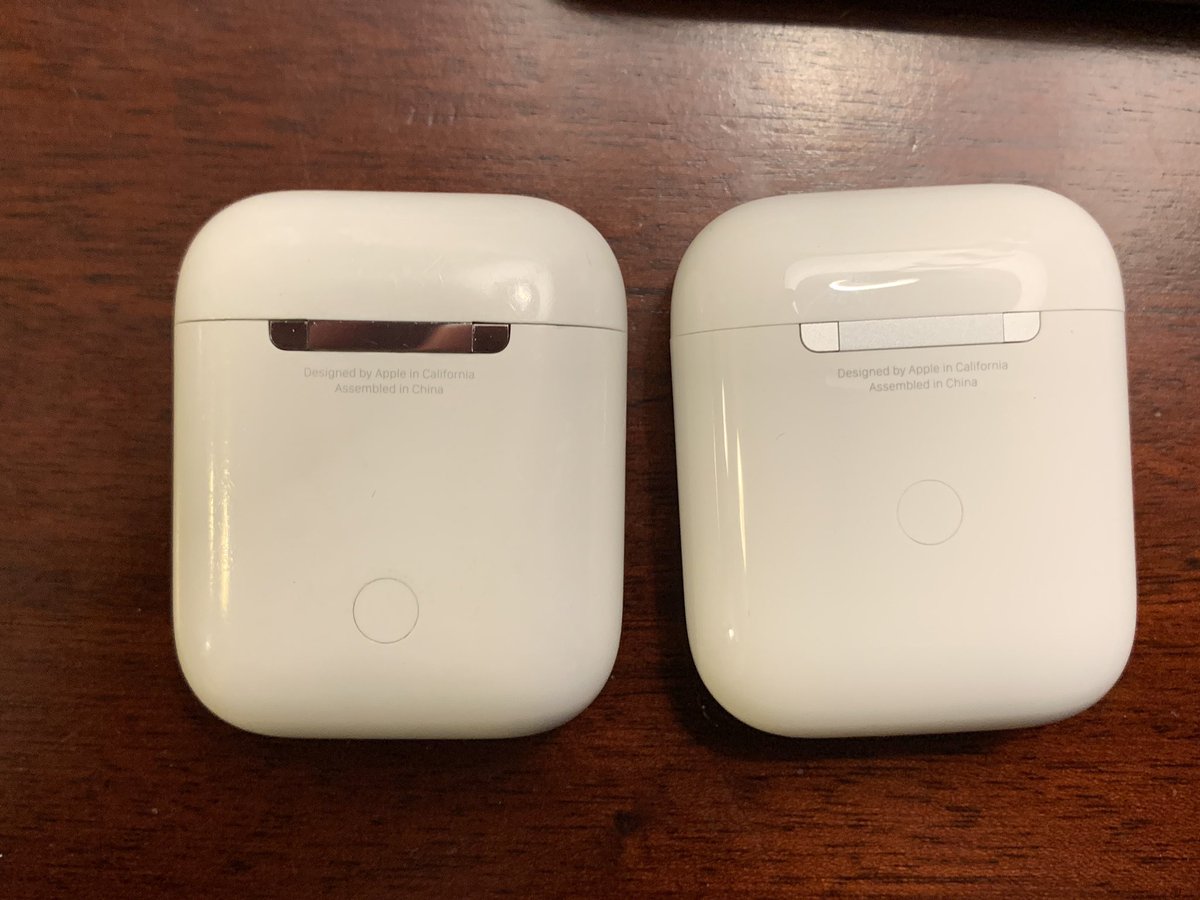
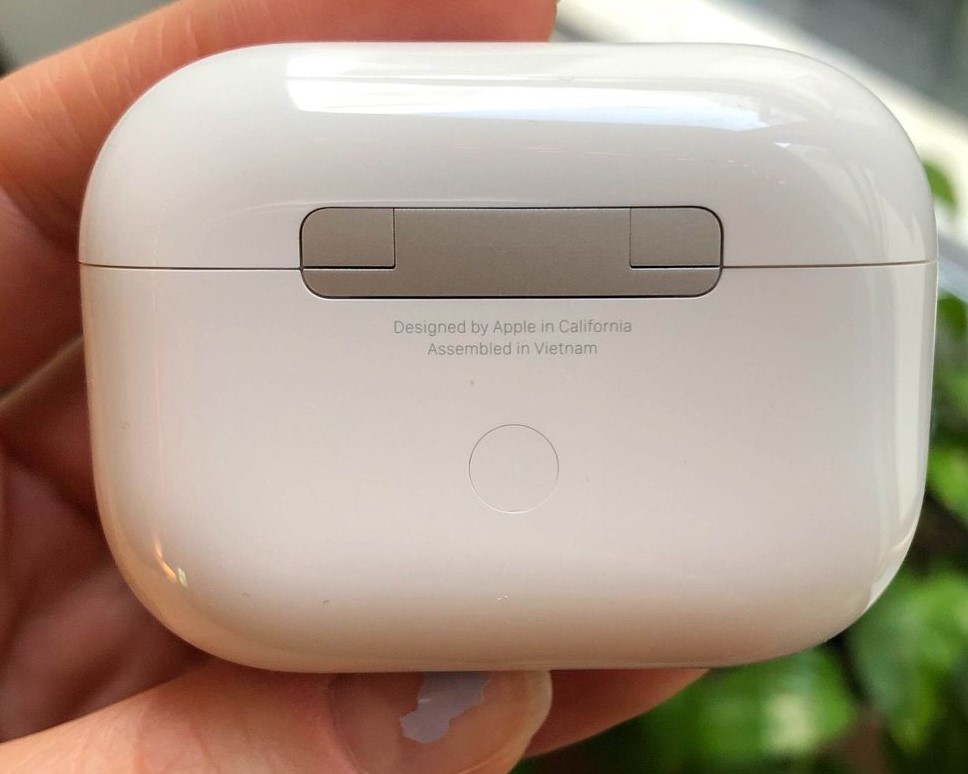
Button Alignment: Check if the button on the case is flush with the rest of the case. If it's not, your AirPods may be replicas. In authentic AirPods, the button should be flush with the case.
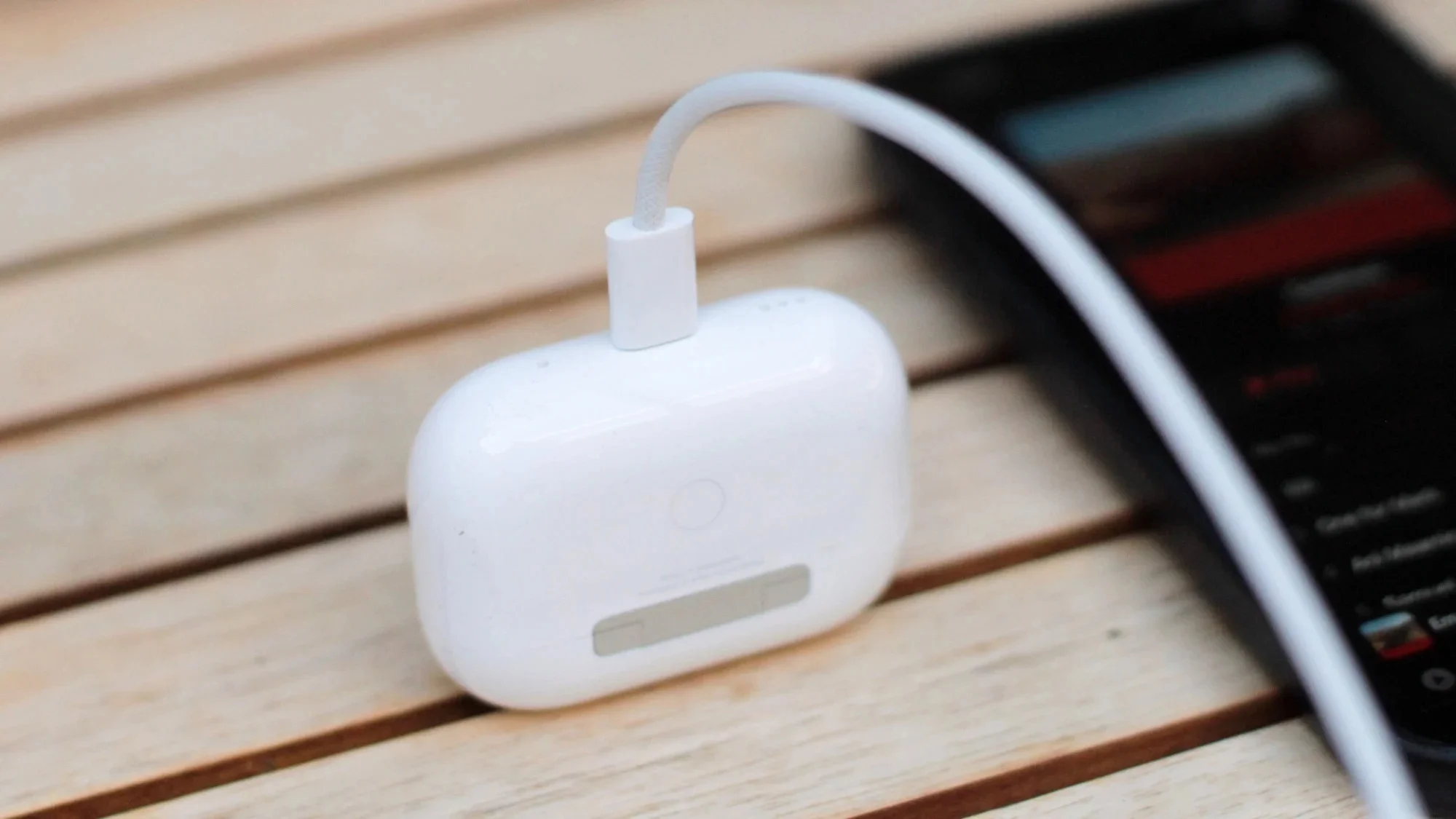
Cable Alignment: Ensure that the cable fits snugly and fully into the case, as shown in the picture below. If the cable protrudes even slightly, it's likely a replica.
Software - Find My Network: A key indicator of a replica is the absence of "Find My Network" (Precision Finding). When you pair the AirPods with your phone and access the "Find My" app, genuine AirPods should support precision finding. If the option is missing or doesn't function properly, it's a strong sign that the AirPods are not authentic. Note: All current replica models are missing Find My Network functionality.
Software - About Page: Connect your AirPods to an iPhone and go to Settings > General > About. If there is an "AirPods" section when you scroll down, check that the serial number shown there matches the serial number on the inside of the AirPods lid. If there is no AirPods section, then your AirPods are likely replicas. Important: Some newer replica AirPods may have a functioning "About" page, which makes this check less reliable. In such cases, you can check for the presence of Spatial Audio with head tracking, or verify the firmware version matches the latest version released by Apple.
Software - Spatial Audio: Genuine AirPods support Spatial Audio with head tracking. While many current replicas also support Spatial Audio, the quality and accuracy of head tracking can vary. If Spatial Audio is completely missing or the head tracking doesn't work properly, it may indicate a lower-quality replica or a fake. However, this check alone is not definitive, as some replicas have good Spatial Audio implementation.
Markings: To verify the authenticity of your AirPods, one of the most reliable methods is to inspect the regulatory markings located on the inner upper part of the AirPods case. These markings vary by region and can help determine whether the AirPods are genuine. Here's a detailed breakdown:
| Region | Country/Area | Regulatory Mark |
|---|---|---|
| USA | United States | FCC ID, "Designed by Apple in California" |
| Europe | EU Countries | CE (Conformité Européenne), WEEE |
| Asia | China | CCC (China Compulsory Certificate) |
| South Korea | KC (Korea Certification) | |
| Japan | MIC (Ministry of Internal Affairs and Communications) | |
| India | BIS (Bureau of Indian Standards) | |
| Oceania | Australia, New Zealand | RCM (Regulatory Compliance Mark) |
| Canada | Canada | IC (Industry Canada) |
| Middle East | Saudi Arabia | SASO (Saudi Standards, Metrology and Quality Organization) |
| UAE | ESMA (Emirates Authority for Standardization and Metrology) | |
| Latin America | Brazil | Anatel (National Telecommunications Agency) |
| Mexico | IFT (Instituto Federal de Telecomunicaciones) | |
| Russia and CIS | Russia, CIS countries | EAC (Eurasian Conformity) |
For additional help, join the AirReps Discord to get advice and support from the AirReps community.