
KakoBuy Guide: How to Buy AirPods Replicas
What is KakoBuy?
KakoBuy is a Chinese shopping agent (also called a "taobao agent") that purchases products from sellers on Weidian, Taobao, and 1688 on your behalf, holds the items at its warehouse, takes quality control (QC) photos, and ships them to you internationally. For AirPods replicas, KakoBuy is the agent the AirReps community recommends because it accepts standard payment methods — credit/debit card, PayPal, Apple Pay, Google Pay — without requiring KYC identity verification.
INFO
KakoBuy is a purchasing agent — they buy products from Chinese sellers on your behalf, inspect them, and ship them to you internationally. This is especially useful if you want to combine shipping with other items from China, or if you can't buy directly from a seller's website. For a comprehensive walkthrough of the KakoBuy platform itself (covering categories beyond AirPods), see KakoGuide.
Why Use an Agent?
- QC Photos — KakoBuy photographs your items before shipping so you can verify quality
- No KYC — Pay with credit/debit card without identity verification
- Combine Shipping — Bundle multiple items into one parcel to save on shipping costs
- Buyer Protection — KakoBuy handles returns/exchanges with the seller if something is wrong
TIP
For a single pair of AirPods, shipping through KakoBuy typically costs $7–10 USD. If you're only buying AirPods and nothing else, it may be simpler to order directly from a seller's website. KakoBuy shines when you're combining orders or when the seller's payment methods (crypto, AliPay, bank transfer) don't work for you — KakoBuy accepts regular credit/debit cards, PayPal, Apple Pay, and Google Pay.
KakoBuy vs Other Agents
KakoBuy is one of several shopping agents that serve the replica market. Others include Superbuy, CSSBuy, Sugargoo, Hoobuy, and AllChinaBuy. They all do roughly the same thing — purchase from Chinese sellers, warehouse the items, take QC photos, and ship internationally — but they differ in fees, payment methods, and UI quality.
For AirPods replicas specifically, we recommend KakoBuy because:
- No KYC — credit/debit card, PayPal, Apple Pay, and Google Pay all work without identity verification
- Direct Weidian integration — paste any Weidian link, or use the KakoBuy buttons in our Links section for one-click product loading
- Reasonable rates on light items — AirPods are small and light, so KakoBuy's shipping lines work out competitively versus agents that are optimized for fashion or heavier parcels
If you already have an account with another agent and only want to order AirPods, any of them will work — you can paste the same Weidian links from our Links section into any agent's search bar.
How to Order
1. Create an Account
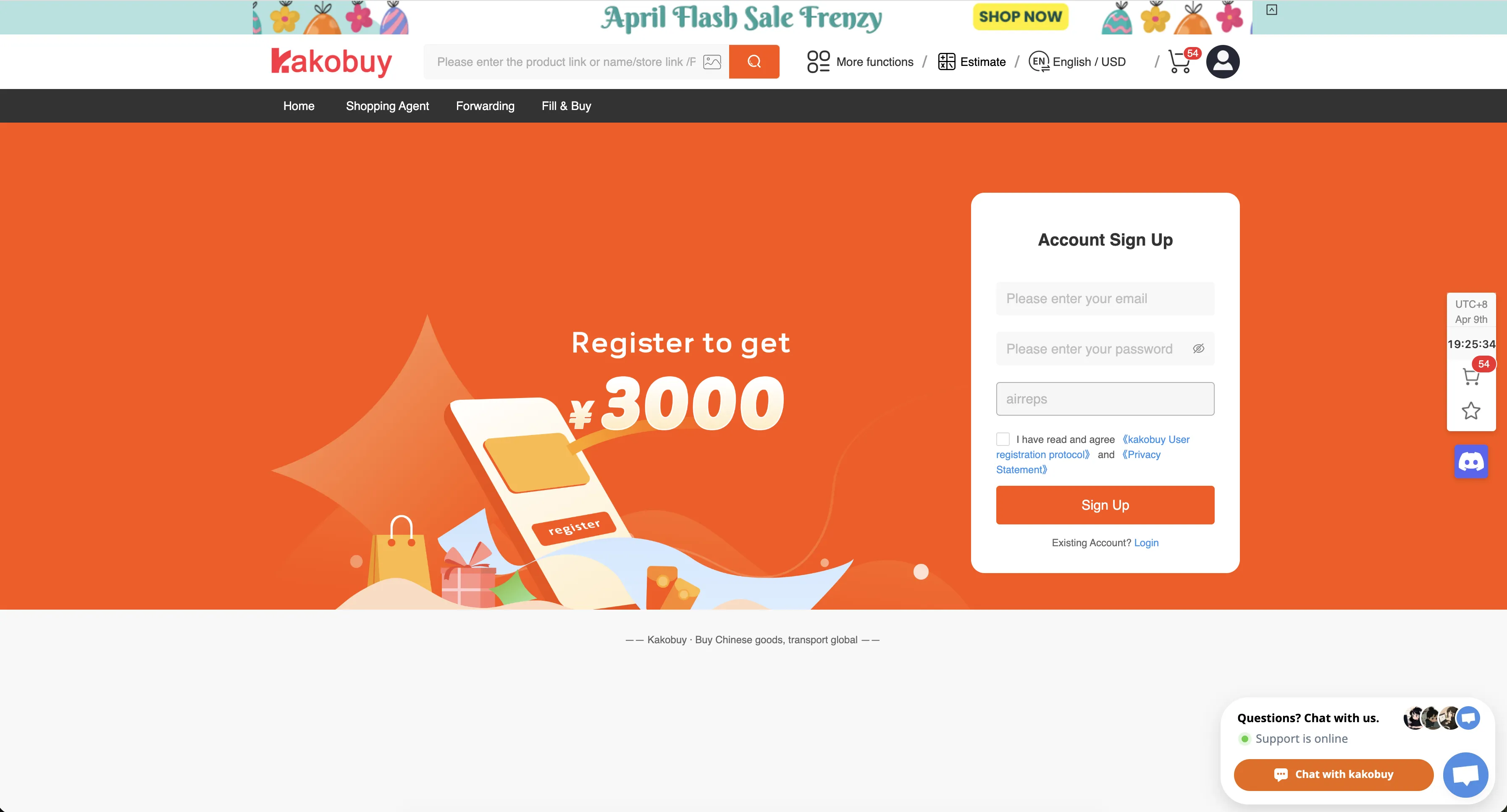
Sign up at KakoBuy. You only need an email address to get started. New accounts receive a welcome pack of shipping coupons — KakoGuide's discount code page keeps track of what's currently active and how to redeem it.
2. Find the Product
Go to our Links section and choose the product you want. Each seller's page has a KakoBuy button that takes you directly to the product on KakoBuy — no need to copy and paste links manually.
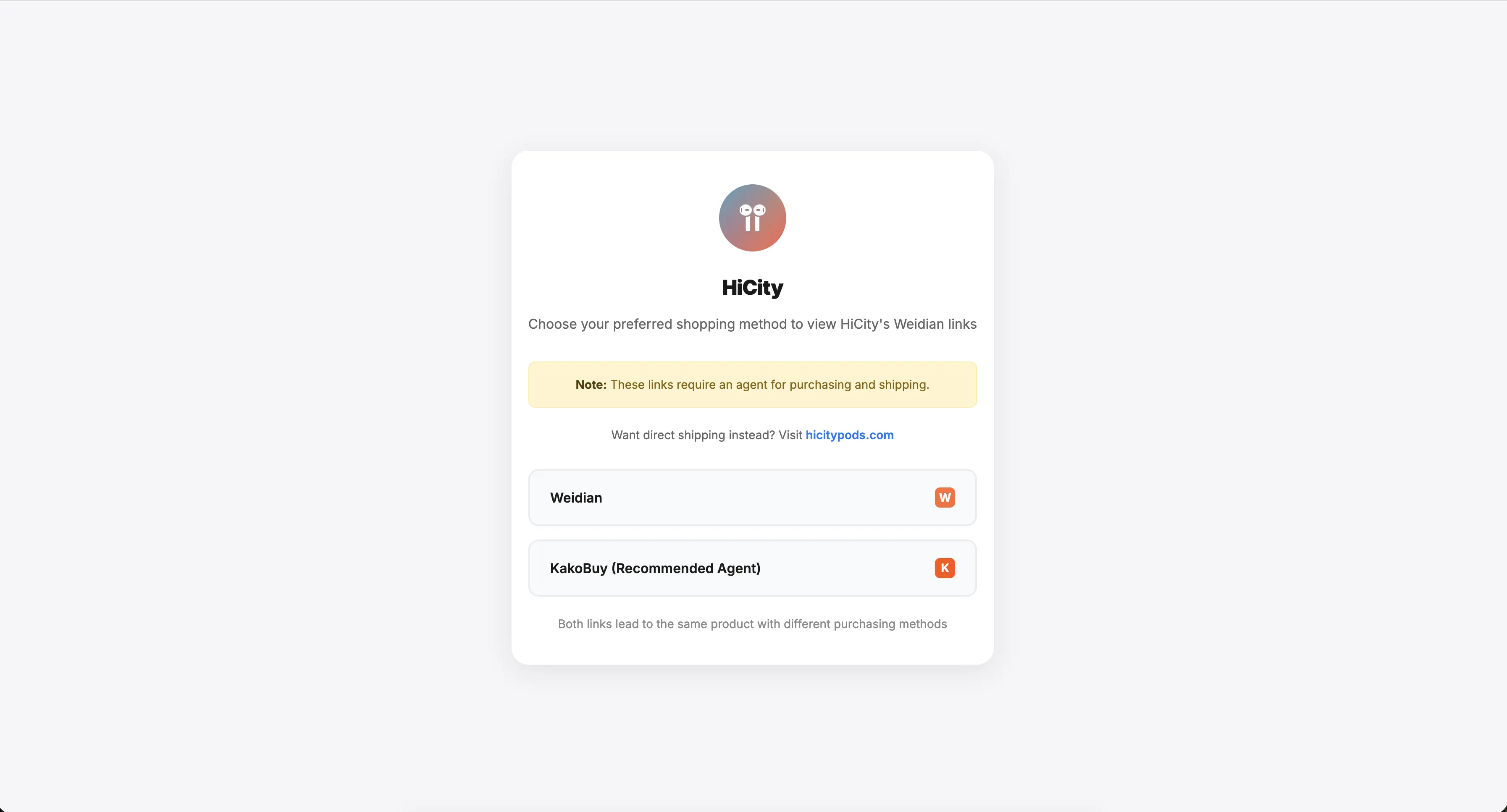
Alternatively, you can copy any Weidian link and paste it into the KakoBuy search bar at the top of the page.
3. Select Options & Add to Cart
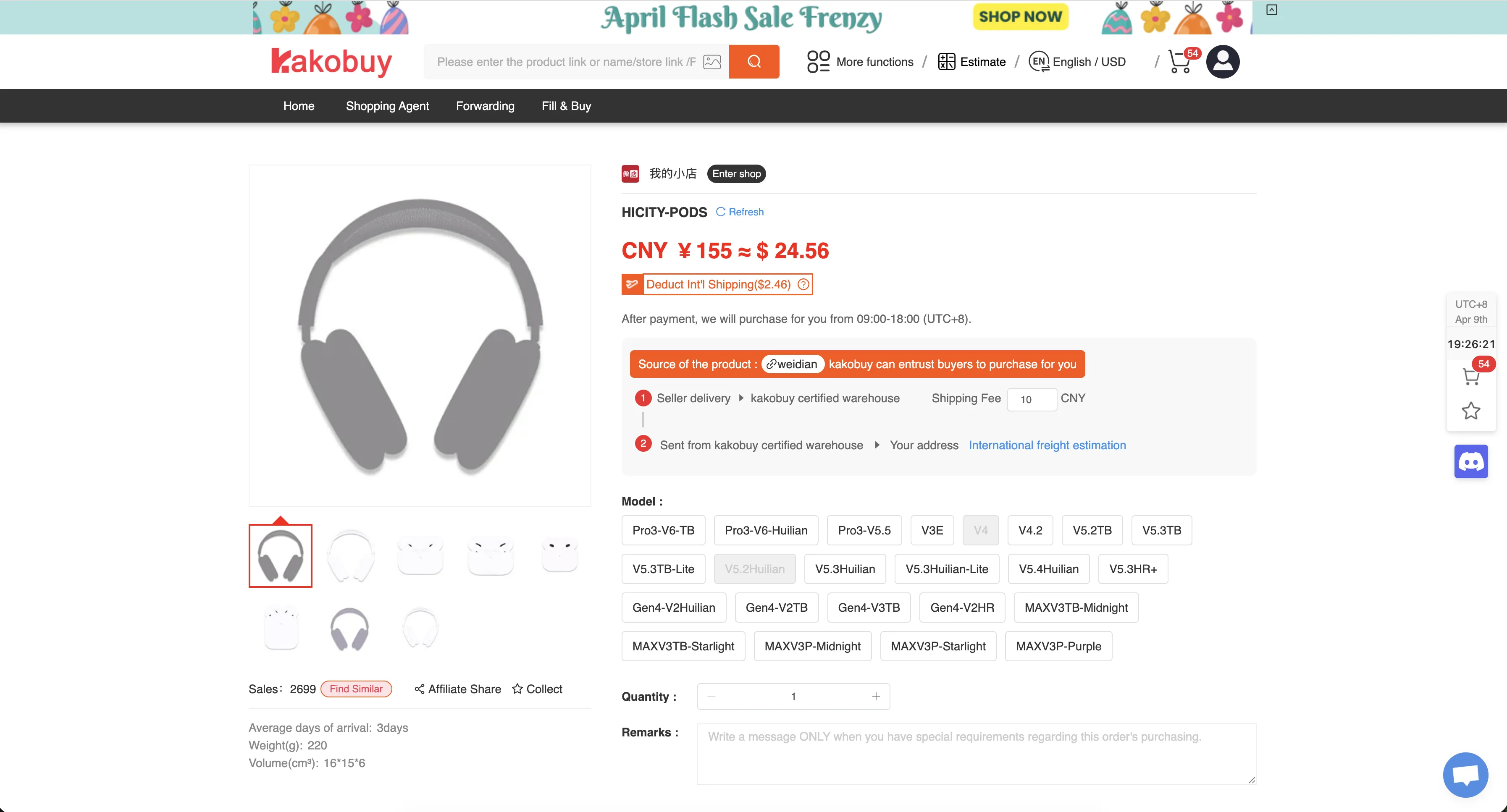
On the KakoBuy product page, you'll see the product details pulled from the seller's Weidian store — including price, available models/versions, and reference photos. Select the correct model (e.g. Pro3-V6-TB, V5.3TB) and click Add to Shopping Cart or Buy now.
4. Pay for Your Order
Check out and pay using your preferred method — credit/debit card, PayPal, Apple Pay, Google Pay, or balance top-up. KakoBuy accepts multiple currencies and never requires KYC verification.
How long does this take?
KakoBuy reviews your order within 3–5 hours, then places it with the seller. The seller typically ships to KakoBuy's warehouse within 3–5 days.
5. Review QC Photos
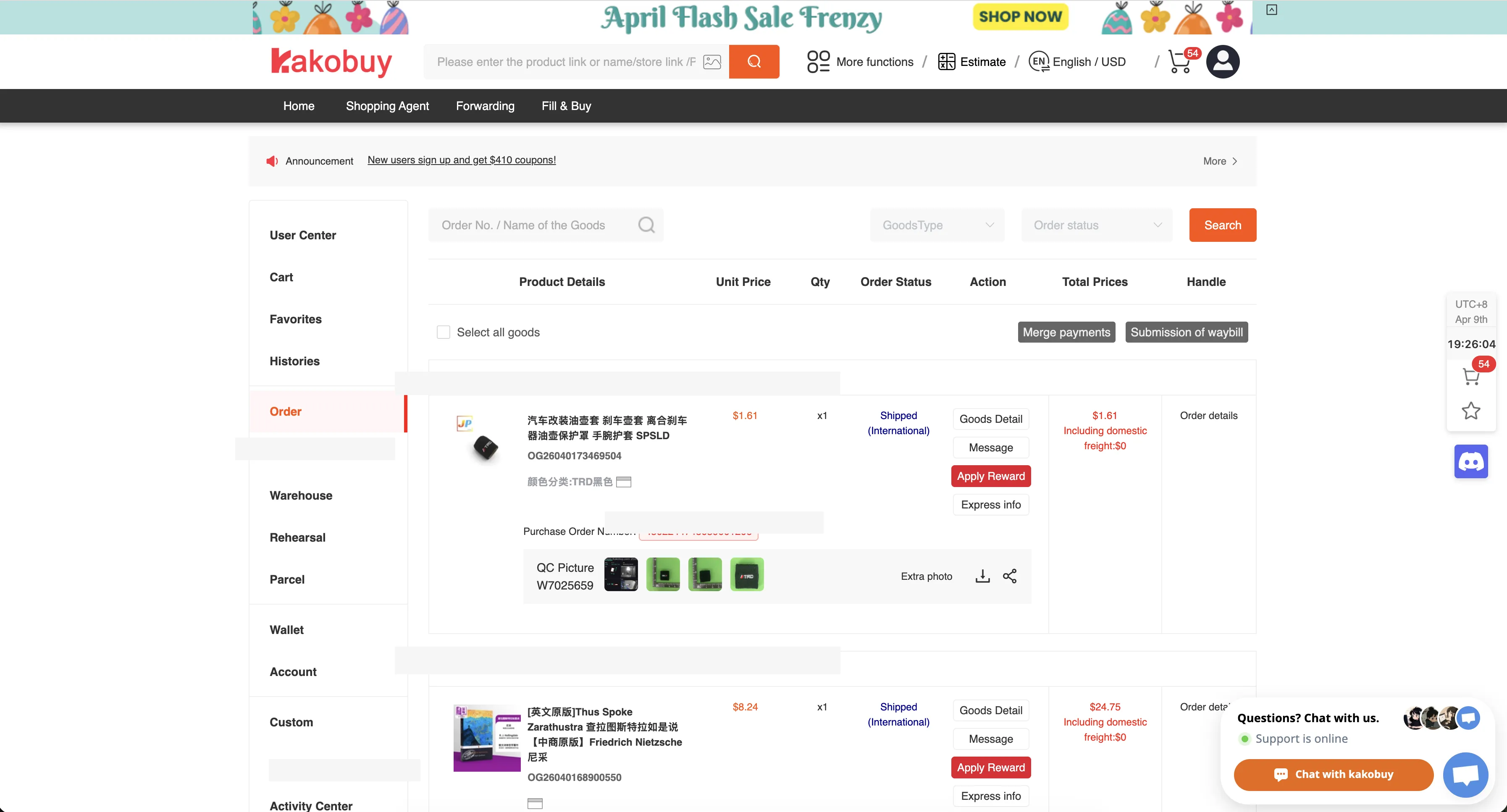
Once the item arrives at KakoBuy's warehouse, they'll take quality control (QC) photos. Check these in User Center → Order, where you'll see the QC pictures attached to each item. If something looks off, you can request a return or exchange before shipping internationally.
TIP
This is a great perk of using an agent — you get to inspect your AirPods replica before committing to international shipping. Check the QC & LC guide for tips on what to look for.
6. Ship Internationally
When you're happy with the QC photos, submit a shipping request:
- Go to User Center → Warehouse
- Select the items you want to ship
- Fill in your shipping address and choose a shipping method
- Pay the international shipping fee
For AirPods only, most standard shipping lines work fine. Expect delivery in 7–25 days depending on the carrier and your location. You can combine multiple items into one parcel to save on shipping costs.
7. Track Your Package
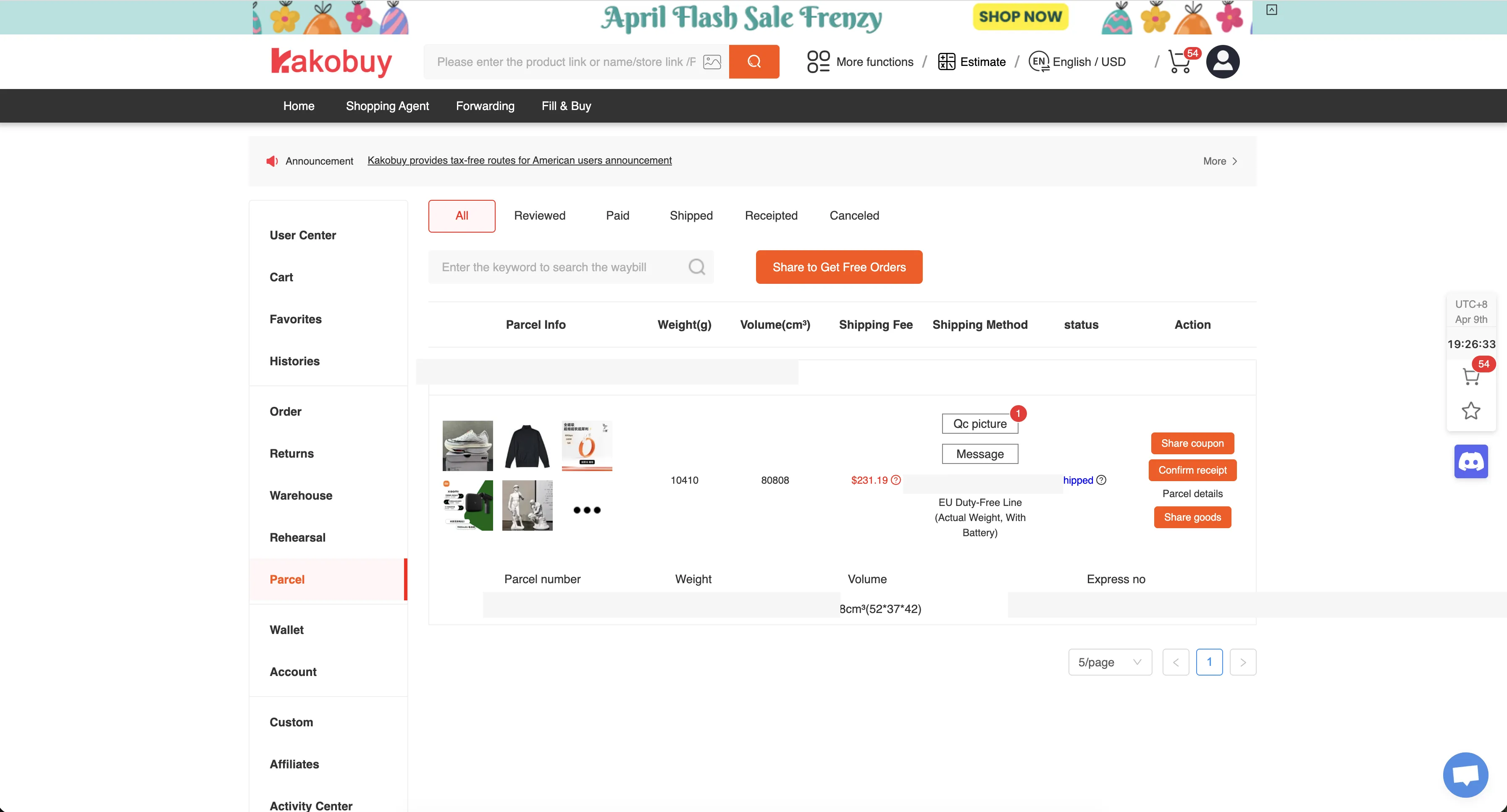
After shipment, track your parcel under User Center → Parcel. You'll see the shipping method, tracking number, and live status updates as the package moves through international transit.
FAQ
Is KakoBuy safe for buying AirPods replicas?
KakoBuy is a legitimate Chinese shopping agent that has been used by the AirReps community for years. It holds your items at its warehouse, takes QC photos, and lets you inspect them before international shipping — so you can request a return or refund before committing. Payments go through standard processors (credit/debit card, PayPal, Apple Pay, Google Pay) with the same fraud protection as any other online purchase. For peace of mind on international transit, you can add shipping insurance to any shipping line for a small extra fee at checkout. If you want a longer answer with the platform's track record laid out, KakoGuide has a dedicated is KakoBuy legit? breakdown.
How much does KakoBuy shipping cost for AirPods?
For a single pair of AirPods, expect $7–10 USD for international shipping. Final cost depends on your destination country and the shipping line you choose — express lines (DHL, FedEx) cost more, while KakoBuy's Triangle Shipping line bundles VAT into the shipping fee so there's nothing extra to pay on arrival. Combining multiple items into one parcel lowers the per-item shipping cost significantly, which is one of the main reasons people use an agent in the first place.
Does KakoBuy require KYC verification?
No. KakoBuy uses standard payment processors that accept credit/debit cards, PayPal, Apple Pay, and Google Pay without identity verification. This is one of the main reasons buyers choose KakoBuy over paying sellers directly — some seller payment gateways trigger KYC checks for credit card payments, and KakoBuy avoids that entirely.
How does KakoBuy compare to Superbuy, CSSBuy, or Sugargoo?
All four are Chinese shopping agents that do the same core job — purchase, warehouse, QC, and ship. KakoBuy is the AirReps recommendation for AirPods replicas because its payment flow doesn't trigger KYC, its UI handles Weidian links cleanly, and our Links section has direct KakoBuy buttons for every trusted seller. Superbuy is larger and more established but has higher service fees and stricter verification on some payment methods. CSSBuy is older with a dated UI and occasionally requires phone verification. Sugargoo is popular for fashion buyers but doesn't offer a meaningful advantage for AirPods. For a fee-by-fee comparison of the three, see KakoBuy vs Superbuy vs Sugargoo.
Will I be charged customs fees or VAT on a KakoBuy order?
For most buyers, no. KakoBuy's Triangle Shipping lines declare a low parcel value and pay any VAT upfront on your behalf, so you don't get hit with a customs bill on arrival. This is the line most AirReps buyers use — it bundles the import taxes into the shipping fee, and you pay nothing extra when the parcel reaches your country. If you choose a non-Triangle shipping line, customs handling falls back to your country's standard rules and you may need to pay VAT yourself on delivery. KakoBuy shipping & VAT explained covers how the declared-value system works per region.
Can I cancel or modify a KakoBuy order?
Yes, as long as the seller hasn't shipped to the KakoBuy warehouse yet. Go to User Center → Order and request cancellation or modification — KakoBuy will contact the seller on your behalf. Once the seller has shipped, you generally can't cancel, but you can still refuse the item after QC if it's the wrong model or defective, and KakoBuy will handle the return with the seller.