
How to Tell if AirPods Are Fake
Fake AirPods (replicas) have gotten good — the best clones have working ANC, Spatial Audio, and the iOS popup. That also means the old advice like "fakes feel cheap" or "the popup gives them away" doesn't cut it anymore. Here's what actually works, ordered from quickest to most conclusive.
Quick Answer: The fastest, most conclusive way to spot fake AirPods is checking Apple's Find My network (no clone at any price connects to native Find My tracking), verifying that the serial number in Settings → General → About matches the microscopic text inside the lid, or connecting to community chip-detection apps like FlyCC or CloudCC (which genuine AirPods ignore completely).
Bought second-hand?
This is where most people get burned: the listing looked genuine, the box looked genuine, and the price was "too good to refuse". Run the checks below before money changes hands — or buy from a verified seller instead and skip the guessing game.
The 10 checks
1. Check the Settings "About" page
Connect the AirPods to an iPhone, then go to Settings → General → About. If a genuine pair is connected, an AirPods section appears when you scroll down. No AirPods section? You're almost certainly holding a fake.
2. Compare the serial numbers
In that same About page, check the serial number shown there against the serial number printed on the inside of the charging case lid (where to look). On genuine AirPods they match. A mismatch is one of the clearest fake tells there is.
3. Check the firmware version
Still on the About page, look at the firmware version and compare it to the latest version Apple has released for that model. Replicas don't receive Apple firmware — an outdated or oddly-numbered firmware is a red flag. (A replica can be updated, but only with community firmware apps, never through Apple.)
4. Test Spatial Audio and head tracking
Some newer replicas have a working "About" page, which defeats checks 1–3. That's where feature testing comes in: play something with Spatial Audio and turn your head. Real head tracking responds naturally; many clones don't implement it properly. This is also the fastest way to spot a high-quality clone — which matters if you're buying second-hand and want to know what you're getting, not just whether it's fake.
5. Try Find My
Every AirPods replica on the market is missing Apple's Find My network — it's the one feature the community hasn't cracked. If "Find My" shows the earbuds in Apple's network, they're real. If the seller claims otherwise, they're wrong or lying.
6. Weigh the price against reality
Genuine AirPods Pro cost $150+ (often $249 at launch). Replicas from trusted sellers run roughly $26 for a basic pair to $126 for an over-ear AirPods Max replica. A "brand new sealed AirPods Pro" for $60 from a stranger online isn't a deal — it's a clone or a scam. Check 10 below explains why even a perfect-looking box proves nothing.
7. Inspect the box — but know its limits
Genuine packaging is well-made: correctly embossed text, aligned labels, serial numbers on the manual. Sloppy printing, missing serials, or generic cables are fake tells. But be careful reading too much into a perfect box: replicas ship in Apple-logo boxes too, and sellers routinely hide them inside a generic decoy box to survive customs.
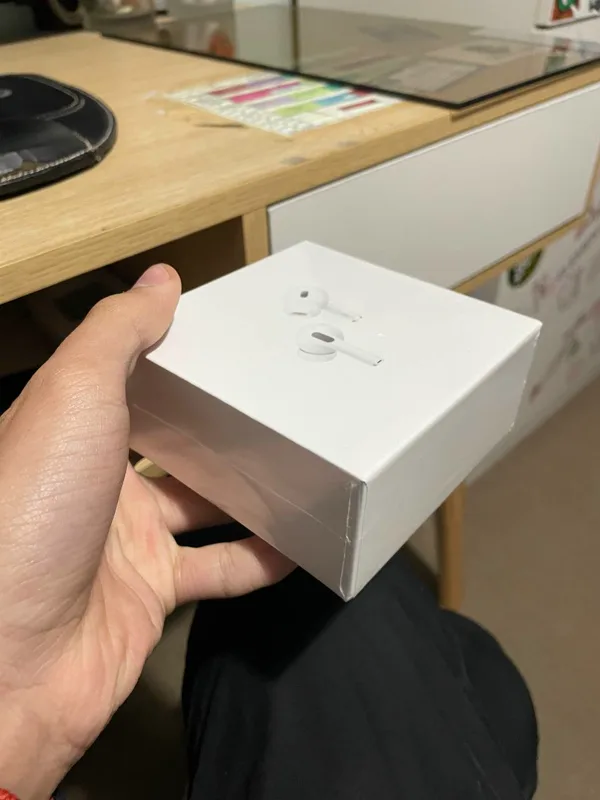
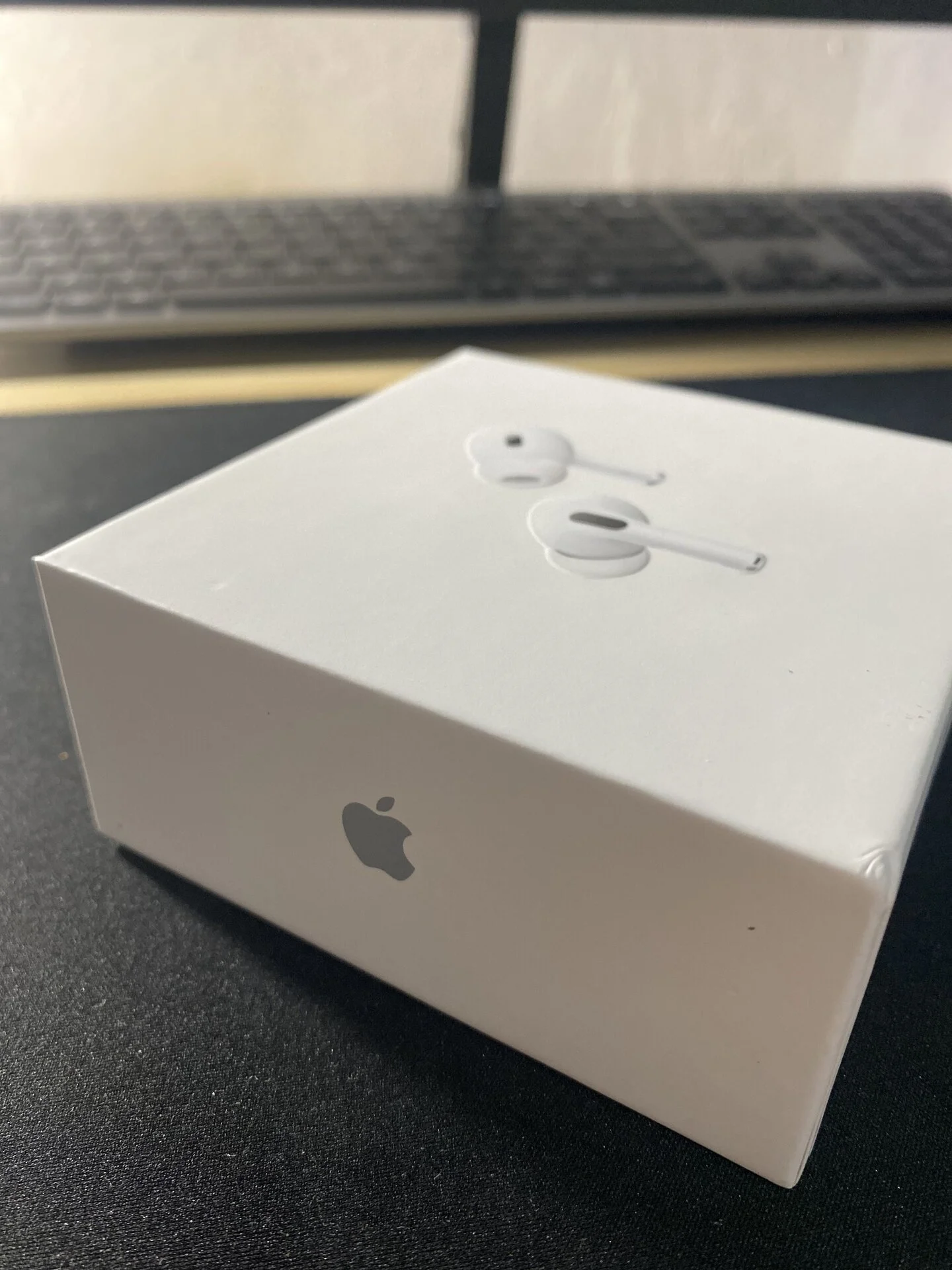
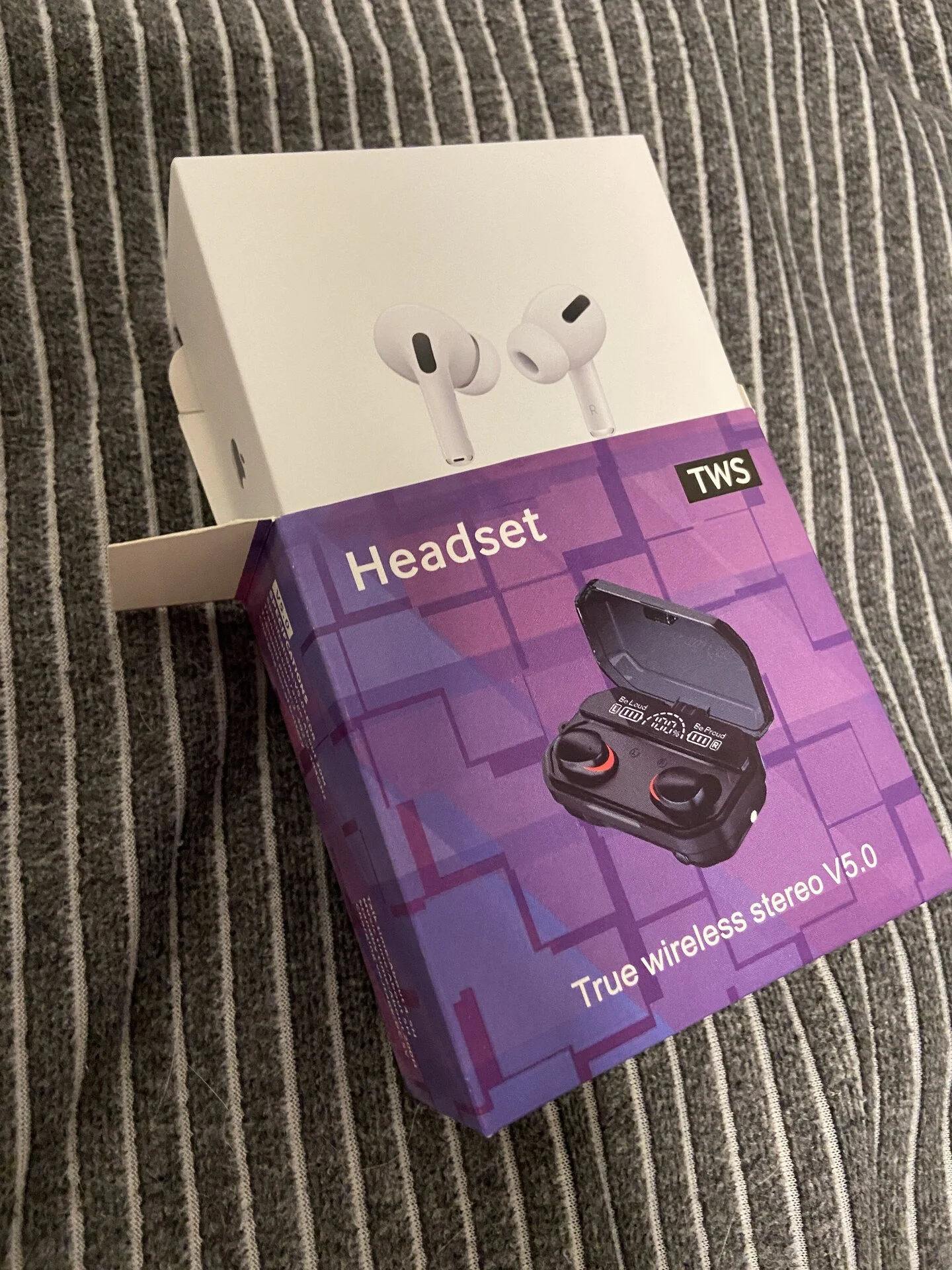
All three of these are replica packaging — the box tells you what the seller wanted you to see, not whether the AirPods are genuine. Our packaging guide covers every box type in detail.
8. Try the community chip-detection apps
The community maintains free utility apps that identify which chip your AirPods use: FlyCC (detects Airoha 1562AE/E chipsets), CloudCC (TigerBuilder/Airoha), and Starfun (Huilian 247). Install them on an Android phone or Mac and see which one connects. Genuine Apple AirPods will not respond to any of these third-party utilities. One caveat: bottom-tier clones use a cheap Jieli (Jerry) chipset that also ignores these apps, so "no app connects" means either cheap fake or genuine, never authentic for sure.
9. Ignore the buzzwords
"i9999", "Superpods", "AirPods Pro 3 Super Copy" — these names used to signal upgrades, but sellers now slap them on the same old products to sound newer than they are. The names carry no meaning. Judge the actual features, or better, buy a version that's been verified by people who test this daily.
10. Ask the community
Still unsure? Post on r/AirReps or join the Discord — people identify clones from a single QC photo all day. It's free and faster than any serial checker website.
WARNING
No single check is conclusive — the best clones pass several of these. If you've verified a used pair, you now know exactly what it is: not a scam, just a replica. Whether that's a problem depends on the price you paid for it.
If you just want real replicas (on purpose)
Lots of people run these checks in reverse — they want the clone and just don't want to get scammed by a random reseller. The safe path is buying from a seller the community has verified, where you know exactly which version you're getting:
- Browse the trusted seller directory with current prices per model
- Take the quiz to get a pick for your budget
- Read how to buy for payment methods and shipping
- Compare Replica AirPods vs Real AirPods for an honest feature breakdown
- See Best AirPods Replicas Under $50 for budget picks
- Read Can People Tell Your AirPods Are Fake? to know what shows in daily use
- If testing a glitchy pair, follow How to Reset Fake AirPods to clear stored state
FAQ
Can fake AirPods have a working serial number?
Yes — good replicas display a serial number in the iOS About page. That's why check 2 matters: on genuine AirPods the About-page serial matches the one inside the lid, while clones usually don't match. And some clones now copy that too, so combine checks rather than relying on one.
Do fake AirPods show the iOS popup?
Higher-version replicas do show the iOS popup, sometimes even faster than genuine AirPods. The popup alone proves nothing in either direction.
Are fake AirPods dangerous?
The scam is the bigger risk than the hardware: paying genuine prices for a clone, or having a package seized at customs because of an Apple-logo box. Hardware-wise, reputable clone chipsets are no more risky than any other unbranded earbuds. Buy from verified sellers and you avoid most of both problems.
How do I check if my AirPods are fake without an iPhone?
It's harder without iOS — the About-page and firmware checks need an iPhone. On Android you can try the community chip-detection apps: genuine AirPods won't connect to any of them, and neither will the cheapest clones. Physical inspection and price sanity (check 6) still work anywhere.